

TL;DR
The official Databricks logo, brand colors, typography, and usage guidelines all live at brand.databricks.com, Databricks' own brand portal. That's the source to use instead of a random Google Images result or a third-party logo aggregator, since those versions are often outdated or slightly wrong. Databricks doesn't publish a dedicated architecture-icon deck the way some other data platforms do, so for diagrams, its own reference architecture PDFs and the standard cloud-provider icon sets are the more reliable options.
Oftentimes you need to download the official Databricks logo or reference their brand guidelines for a presentation, a blog post, or a partner deck. It's surprisingly hard to find the right version, since Google search results are full of unofficial logos, stock-icon sites, and third-party brand aggregators that aren't always accurate or current.
Here's how to find and download the real Databricks logo, brand assets, and icons straight from the source.
How do you find and download the official Databricks logo?
Head to brand.databricks.com, Databricks' official brand guidelines site. It's built on Brandfolder, a digital asset management platform, and it's the one place guaranteed to have the current logo files rather than an older or unofficial version.
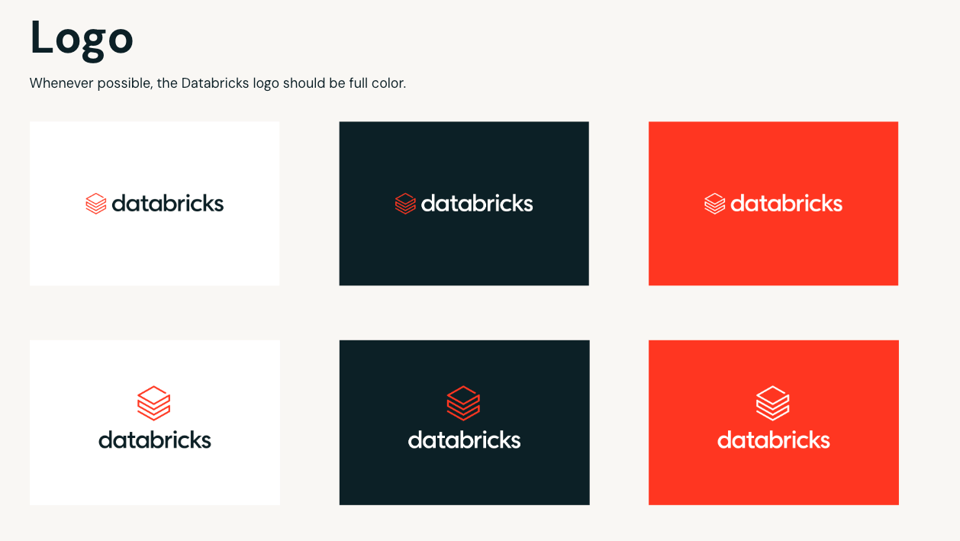
What Databricks logo variants are available (PNG, SVG, and more)?
The brand portal includes the Databricks logo in a few different forms, so you can pick the right one for the job instead of stretching or recoloring a single file:
The primary mark is the full logo, the symbol and the “databricks” wordmark together, which is the version to default to whenever there's room for it. There's also a secondary mark, sometimes searched as the Databricks icon, the symbol on its own without the wordmark, meant for tight spaces like favicons, app icons, or anywhere the full lockup won't read clearly at a small size. Databricks also publishes a Databricks Genie logo built the same way, for its AI assistant product.
Both the primary and secondary marks come in light and dark color variants, so a Databricks logo white version is available for dark backgrounds alongside the standard one. All of them are available as vector files (Databricks logo SVG and EPS) for anything that needs to scale cleanly, plus a Databricks logo PNG at fixed resolutions, and a Databricks logo transparent PNG for dropping straight into slides and documents without a background box.
What's in the Databricks brand guidelines?
Everything below comes directly from brand.databricks.com, Databricks' official brand portal, rather than a third-party summary. That's the site to treat as the source of truth for anything brand-related: logo files, colors, typography, iconography, illustration, photography style, and partner co-branding rules.
Databricks brand colors
Databricks' primary brand colors are Lava 600, Navy 900, Oat Medium, Oat Light, and White. Lava is the accent color used for bold pops of color throughout the system, while Navy, Oat, and White are used for large background areas. Here are the exact values:
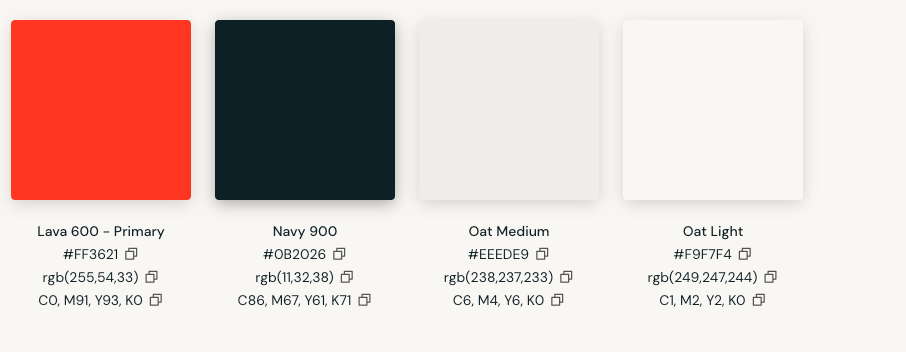
Source: brand.databricks.com. Figures current as of July 2026.
Databricks typography
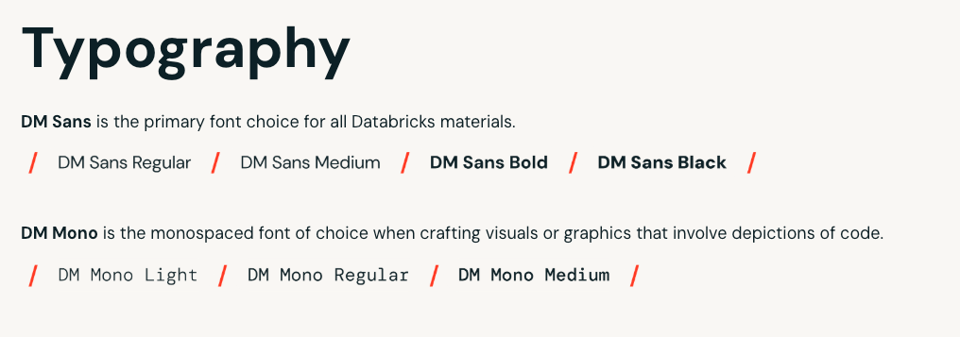
DM Sans is the primary font for all Databricks materials. DM Mono, a monospaced font, is the one to use for visuals or graphics that depict code, consistent with Databricks being a developer-facing data and AI platform.
Everything else in the guidelines
Beyond colors and typography, the brand guidelines site also covers clear-space and minimum-size rules for the logo, do's and don'ts for common misuses, and guidance on iconography, illustration, and photography style. There's a section on partner co-branding for anyone building joint materials with Databricks, and separate program-specific logo lockups for products like Genie, Unity Catalog, and Mosaic AI, all built on the same primary mark.
Since the Databricks name and logo are registered trademarks, that usage guidance isn't optional detail. It's what determines whether a given use is fine or needs sign-off from Databricks directly, especially for partner or commercial materials.
Where can you find Databricks icons for architecture diagrams?
This is the one place Databricks' brand portal doesn't fully cover. Unlike some data platforms that publish a dedicated slide deck of architecture icons, Databricks' own brand guidelines focus on logo and identity assets rather than a diagramming icon set.
For actual architecture diagrams, Databricks publishes its own downloadable reference architecture PDFs, which show real component layouts rather than a loose icon library. If you're specifically diagramming Azure Databricks, Microsoft's Azure architecture icon set includes an official Databricks icon built for that purpose. Community options like draw.io icon libraries exist too, but treat those as a convenience for internal sketches, not something to publish externally in place of an official asset.
Frequently asked
questions
Where can I download the official Databricks logo?
The official Databricks logo is available at brand.databricks.com, Databricks' own brand guidelines portal. That's the only source guaranteed to have the current version in the right formats.
What are the Databricks brand colors?
Per brand.databricks.com, Databricks' primary brand colors are Lava 600 (#FF3621), Navy 900 (#0B2026), Oat Medium (#EEEDE9), Oat Light (#F9F7F4), and White (#FFFFFF). Lava is the accent color used for bold pops of color throughout the system, while Navy, Oat, and White are used for large background areas.
What font does Databricks use for its logo and brand materials?
Per brand.databricks.com, DM Sans is the primary font for all Databricks materials, and DM Mono is the monospaced font used for visuals or graphics that depict code.
Does Databricks have a logo without text, just the icon?
Yes. Databricks' brand guidelines include a secondary mark, the symbol on its own without the wordmark, for use in tight spaces like favicons or app icons where the full logo won't fit legibly.
Is there a separate logo for Databricks Genie?
Databricks' brand guidelines include program-specific logo lockups for products like Genie, Unity Catalog, and Mosaic AI, built on the same primary mark. These follow the same usage rules and are available through the same brand portal.
Can I use the Databricks logo in my own materials?
The Databricks name and logo are registered trademarks, so usage requires following Databricks' published guidelines on clear space, color, and what to avoid. Partner or commercial use typically requires going through official channels rather than assuming fair use.
This page is meant as a guide to where the official Databricks brand assets live, not a mirror of them. Logo files, colors, and guidelines can change, so always pull directly from brand.databricks.com rather than reusing a cached copy.
Ian Whitestone·Co-founder & CEO of SELECT
Ian is the Co-founder & CEO of SELECT, a SaaS Snowflake cost management and optimization platform. Prior to starting SELECT, Ian spent 6 years leading full stack data science & engineering teams at Shopify and Capital One. At Shopify, Ian led the efforts to optimize their data warehouse and increase cost observability.
Get up and runningin less than 15 minutes
Connect your Snowflake, Databricks, or BigQuery account and instantly understand your savings potential.