You can update your payment method (e.g. credit card), billing details, and view your invoice history through Stripe.
- In SELECT, go to Settings → Billing.
- In the Manage subscription box, click Go to Stripe.
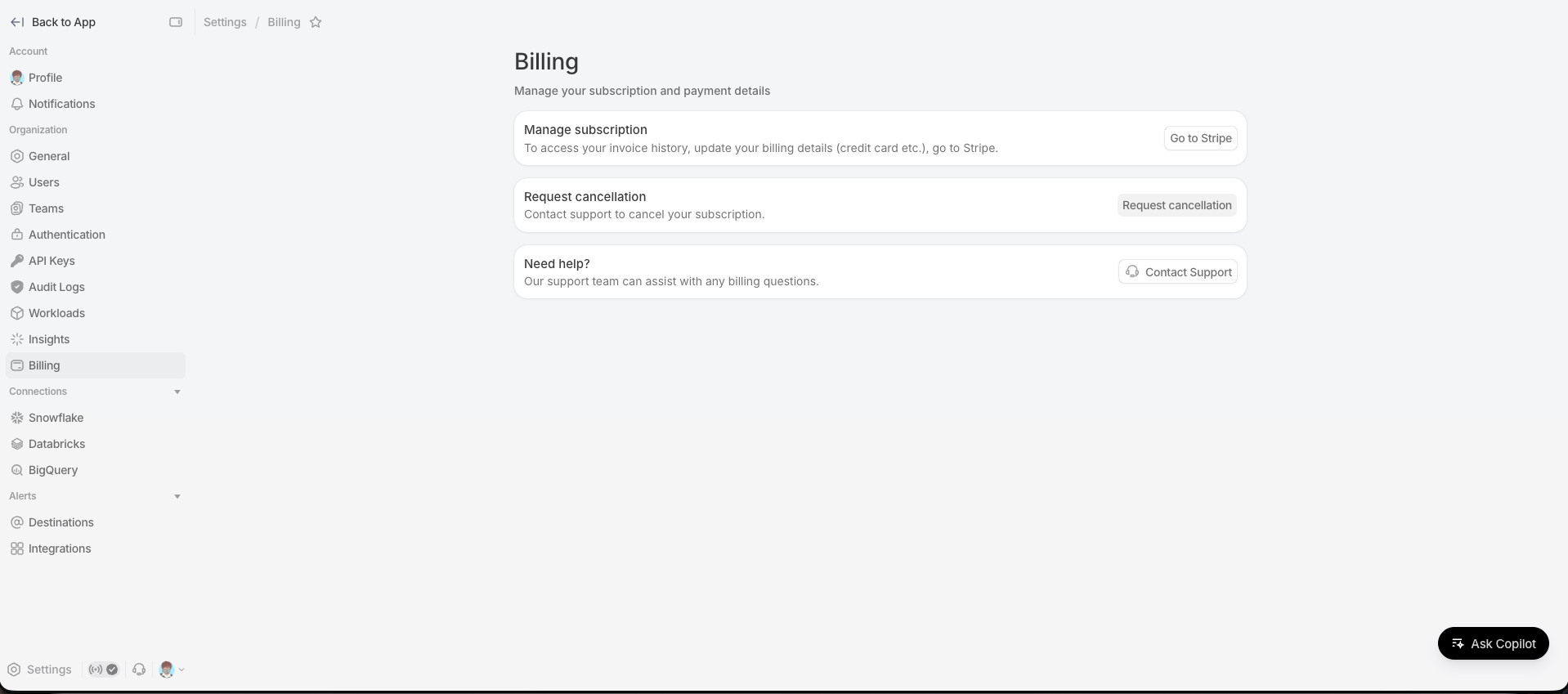
- You'll be taken to Stripe's secure billing portal, where you can update your payment method and billing details, and view or download past invoices.
- When you're done, use the return link on the Stripe page to come back to SELECT.
Notes
- The Billing page is only visible to users who can manage organization settings (typically admins). If you don't see it, ask an admin on your team.
- If a payment fails, you'll see a "Your payment method needs attention" banner on the Billing page. Use the same Go to Stripe button to update your payment method and settle any outstanding invoices.
- To cancel your subscription, use the Request cancellation button on the Billing page instead. Cancellation isn't available in Stripe.
- For any other billing questions, click Contact Support on the Billing page.