Method 1: Using Insights
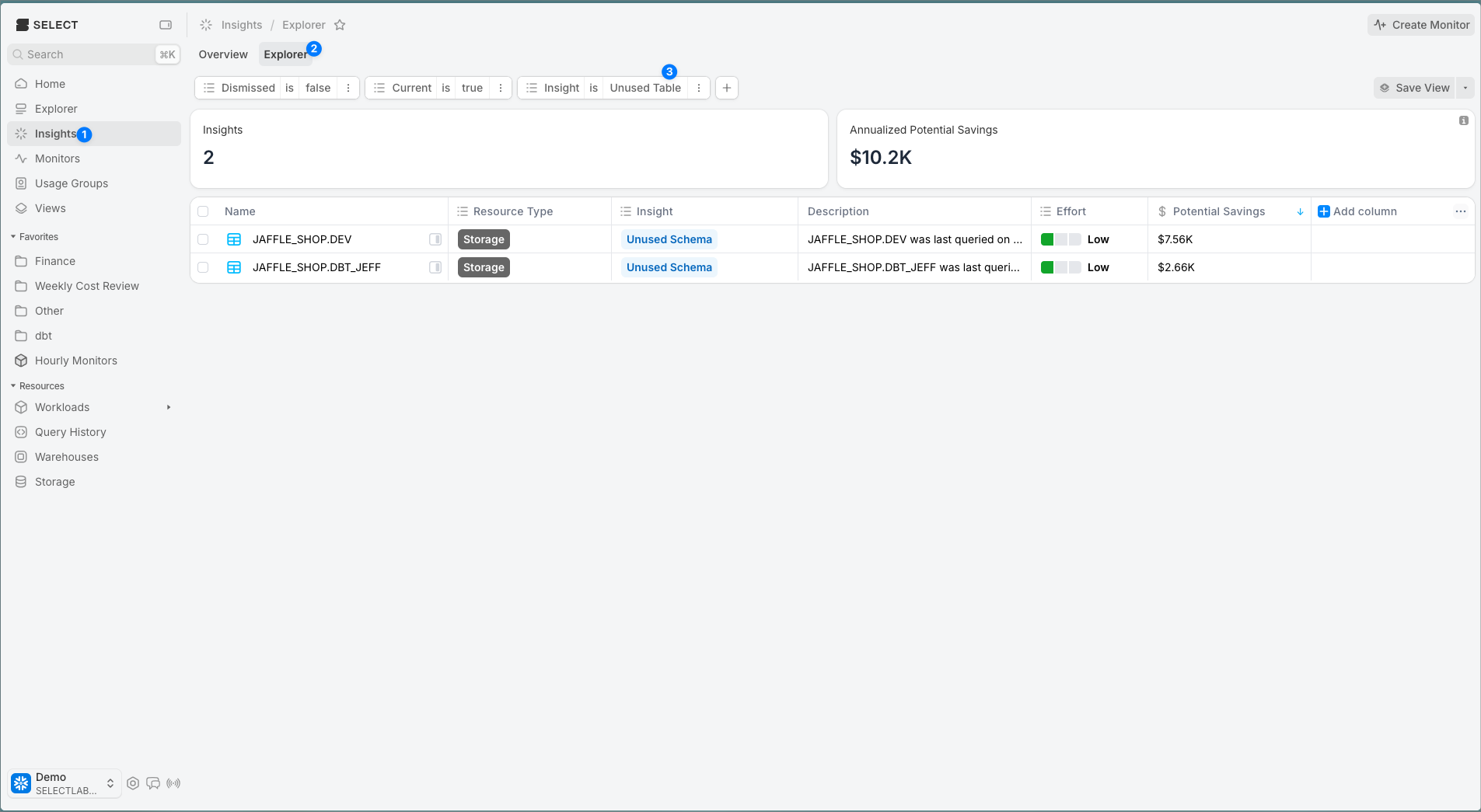
Go to the Insights page, Explorer tab (at the top), then add a filter for "Insight is Unused Table"
Method 2: Using the Storage page
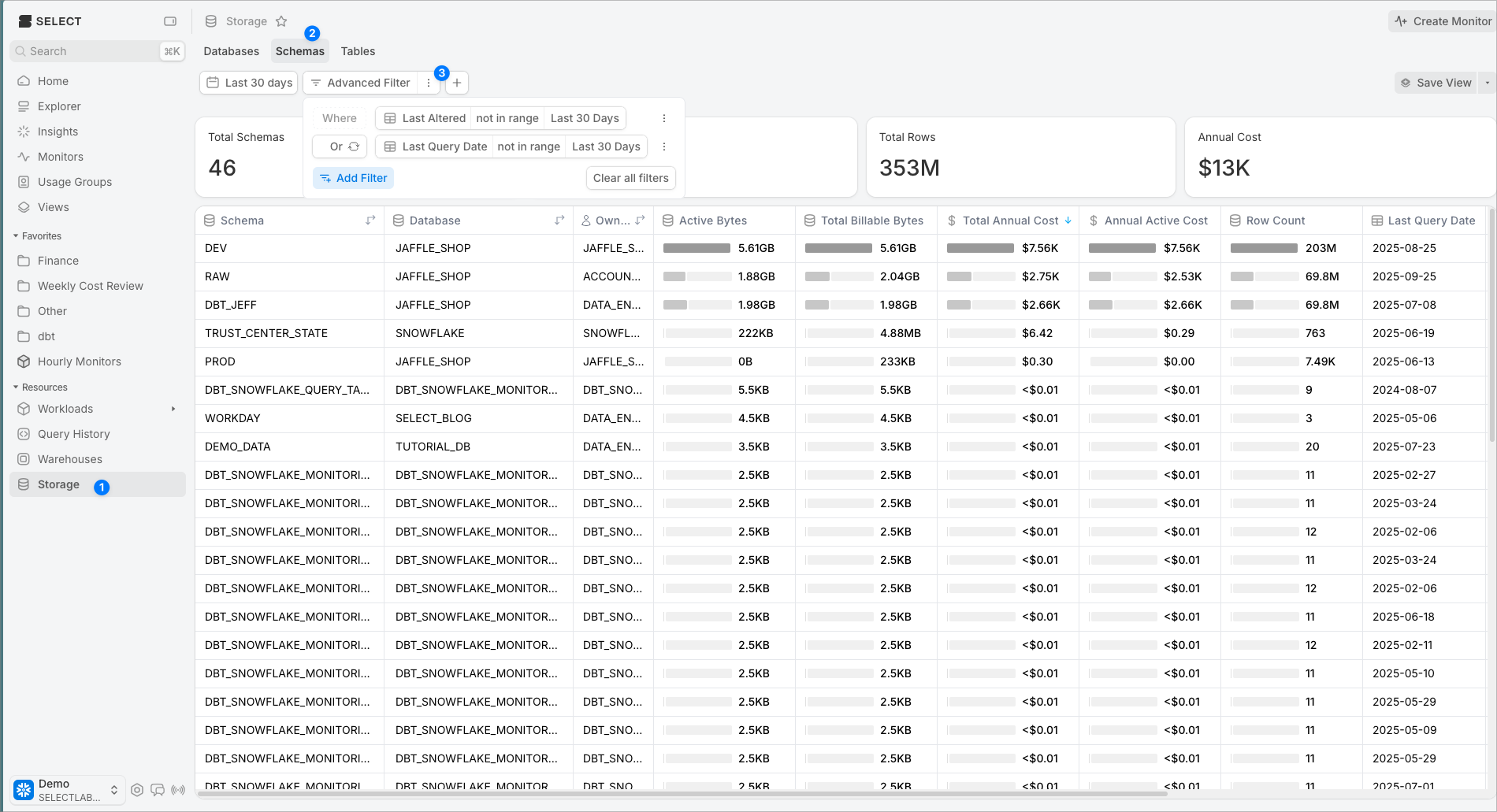
You can create a flexible, customizable view of unused tables or schemas on the Storage page by applying filters. Navigate to the Tables or Schemas tab.
The example below shows advanced filters on the Schemas tab to find schemas that haven’t been queried or altered in the last 30 days. The same approach works on the Tables tab. You can set any date range you prefer, or remove the “last altered” filter to identify tables or schemas that no one is reading but have active ETL.