Overview
Some customers may wish to sanitize inputs such as query text. This document gives various options for how to achieve this. Only enable this if required for compliance, as it makes queries harder to read.
Option 1: Query text sanitization on SELECT side
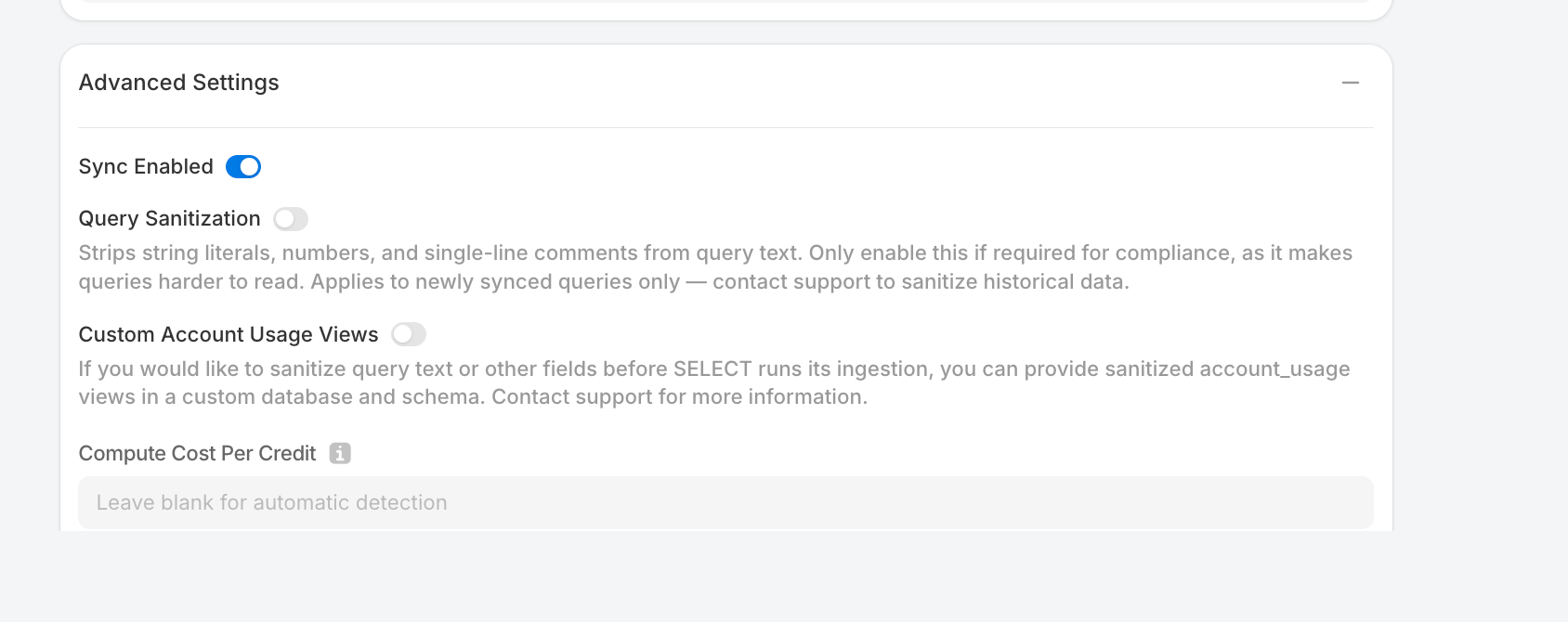
The simplest approach is to toggle on "Query Sanitization." Upon ingesting your metadata into SELECT's systems, this setting will strip string literals, numbers, and single-line comments from query text (gist demonstrating this code).
Option 2: Sanitize query text yourself
You can also sanitize query text yourself before your data reaches SELECT's systems. You can deviate from the SELECT setup script by withholding the GOVERNANCE_VIEWER permission, denying us direct access to Snowflake's ACCESS_HISTORY and QUERY_HISTORY views.
Skip running this suggestion:
And instead grant the permissions needed to read other views that SELECT needs:
Next, you need to provide the two missing views, with your customized sanitization. An example is below, which creates a database and schema, applies the query sanitization that SELECT would have run under Option 1 (which you can further customize), and grants SELECT access:
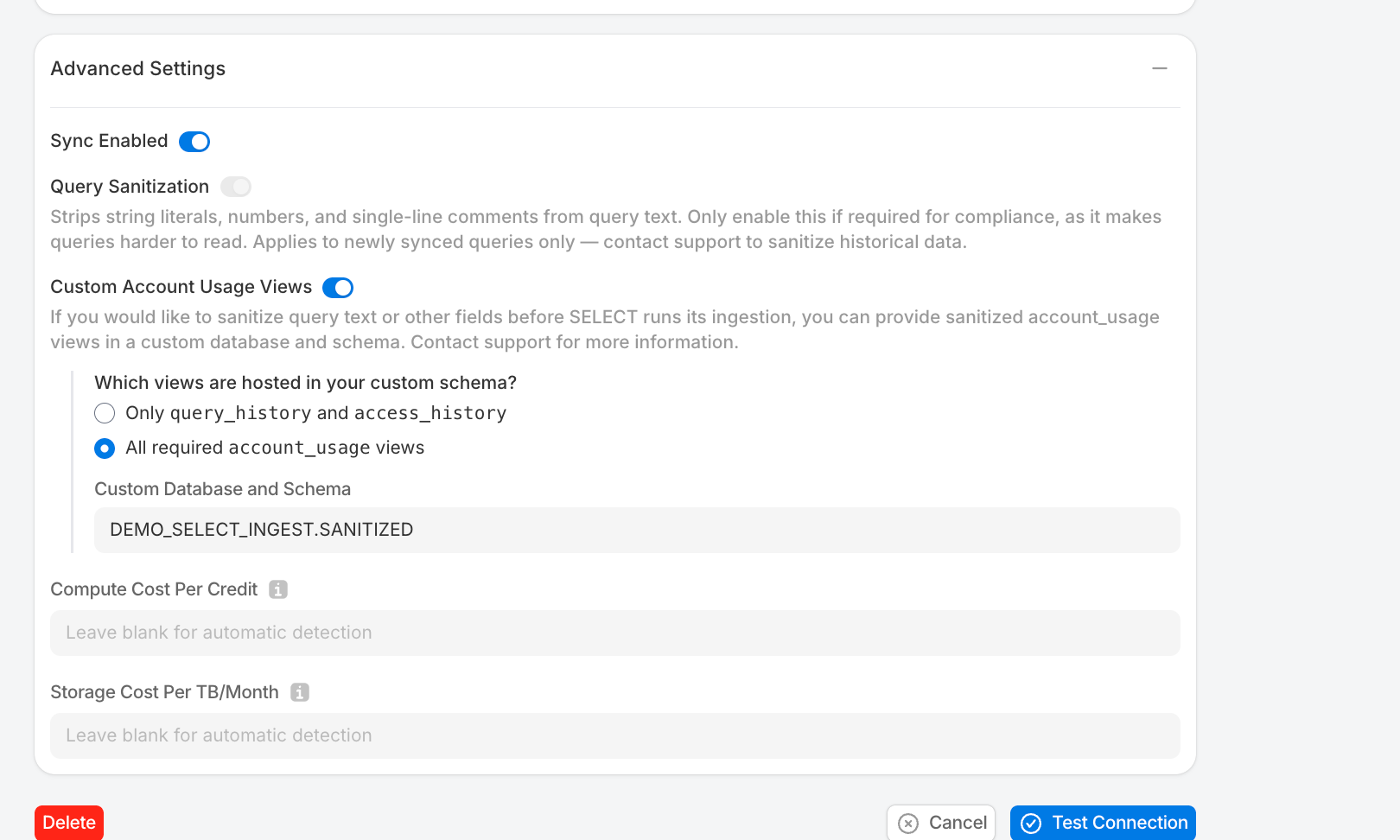
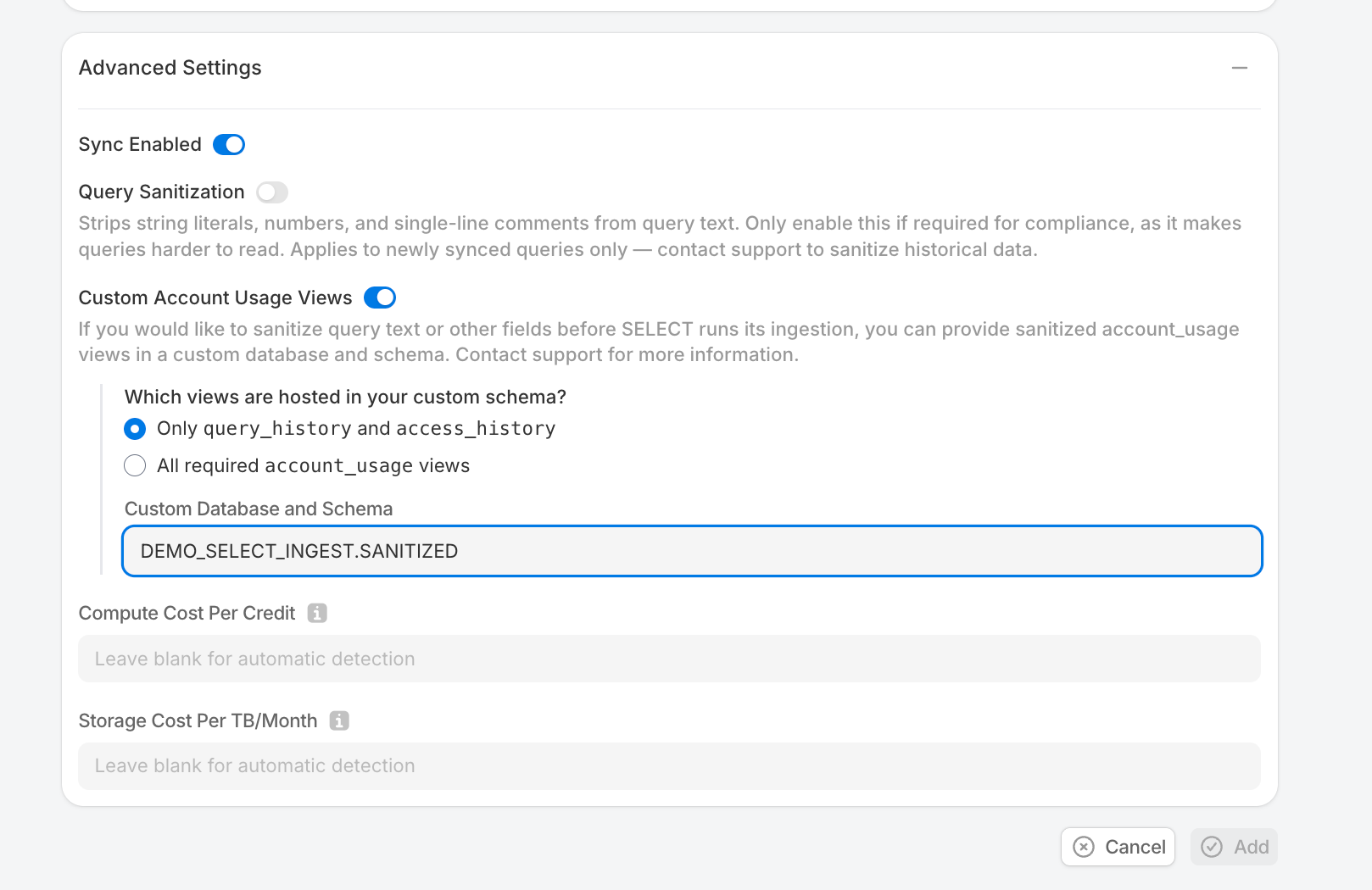
Now, under the "Advanced Settings" section of the Snowflake connection page, toggle on "Custom Account Usage Views", choose "Only query_history and access_history", and provide the database+schema name you just created (in the example above, DEMO_SELECT_INGEST.SANITIZED)
Option 3: All required account_usage views
Use this option if you want full control over all account_usage views that SELECT ingests. You'll create a stored procedure that builds pass-through views for every required view in a custom database, then manually customize any views where you need sanitization.
NOTE: SELECT may need to ingest more tables and columns over time as Snowflake introduces new features. This setup should help with the initial integration, but ongoing maintenance may be needed to keep the data ingestion healthy.
Skip this permission grant from the standard setup:
SELECT still needs direct access to organization_usage views. Grant the following database roles:
Next, create the custom database and schema:
Next, create and run a stored procedure that creates a pass-through view for every required account_usage view. It queries information_schema to discover all columns and selects them by name (not SELECT *, which would break if Snowflake adds columns later).
From here, you now have views just passing through all required columns. To sanitize a view, use GET_DDL to retrieve its full definition, then modify it.
For example. to sanitize QUERY_TEXT in QUERY_HISTORY , first get the current view definition:
This returns a CREATE OR REPLACE VIEW statement listing every column. Find the "QUERY_TEXT" column in the SELECT list and replace it with the following sanitization expression (or one of your choosing):
Then run the modified CREATE OR REPLACE VIEW statement.
Finally, when setting up your Snowflake connection in SELECT, toggle on "Custom Account Usage Views" and "All required account_usage views" and then put the database+schema used in the above scripts.