

Analyze overscheduled and unused pipelines
Monday, May 25, 2026
 Greg FinleyProduct Engineer @ SELECT
A great way to save money in Snowflake is by reducing pipeline waste. Common opportunities include removing unused pipelines that no longer have downstream consumers, or reducing the schedule of pipelines that run more often than the data is actually consumed.
On any workload page, you will see our new Pipeline Analysis tab, which helps you understand how a workload is being used downstream.
Pipeline Analysis classifies workloads into a few categories:
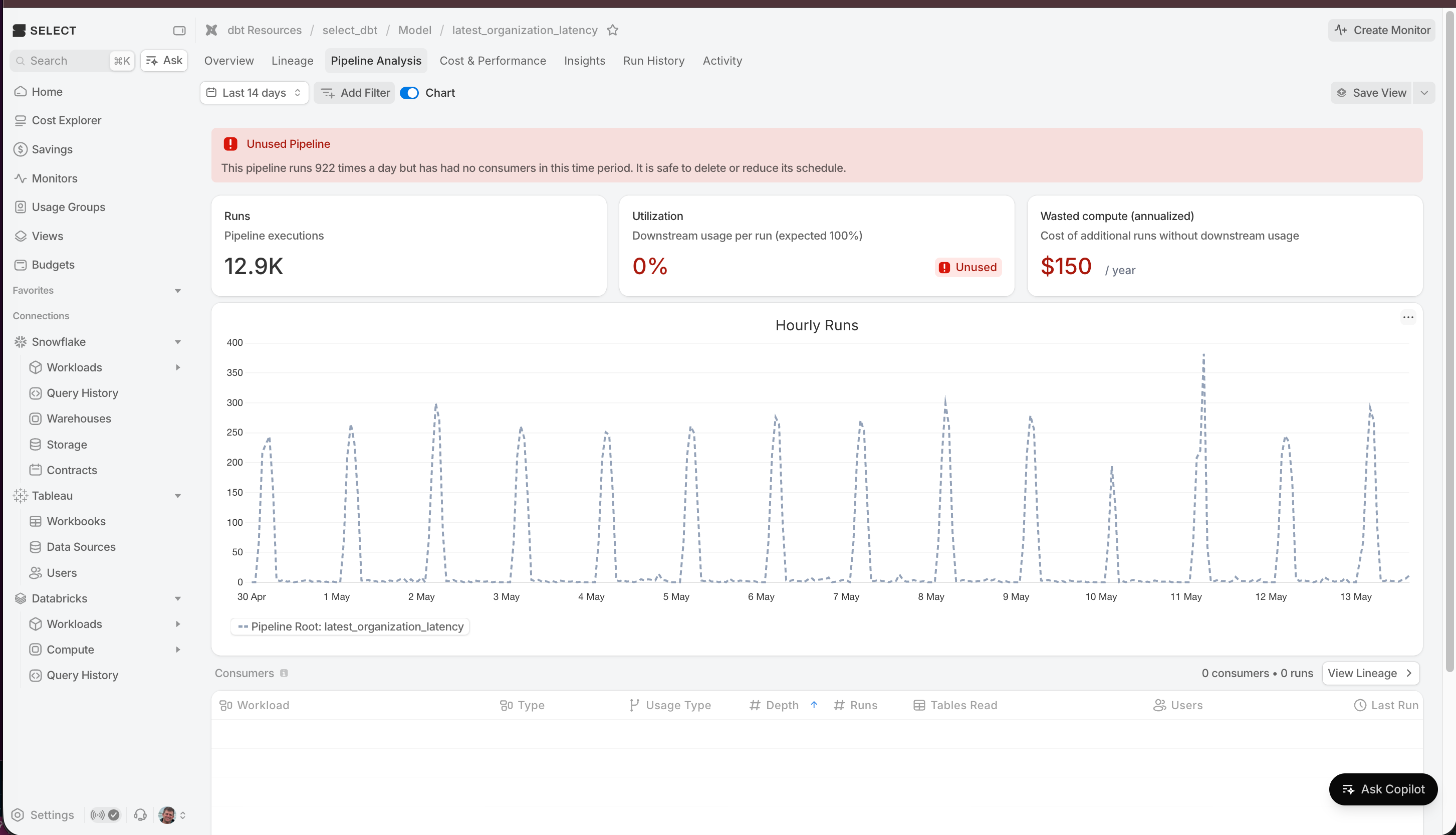
Unused pipeline
The workload writes tables, but no downstream BI, analytics, or user-facing (non-ETL) workloads are reading these tables, either directly or further downstream. This may indicate the pipeline is no longer needed.
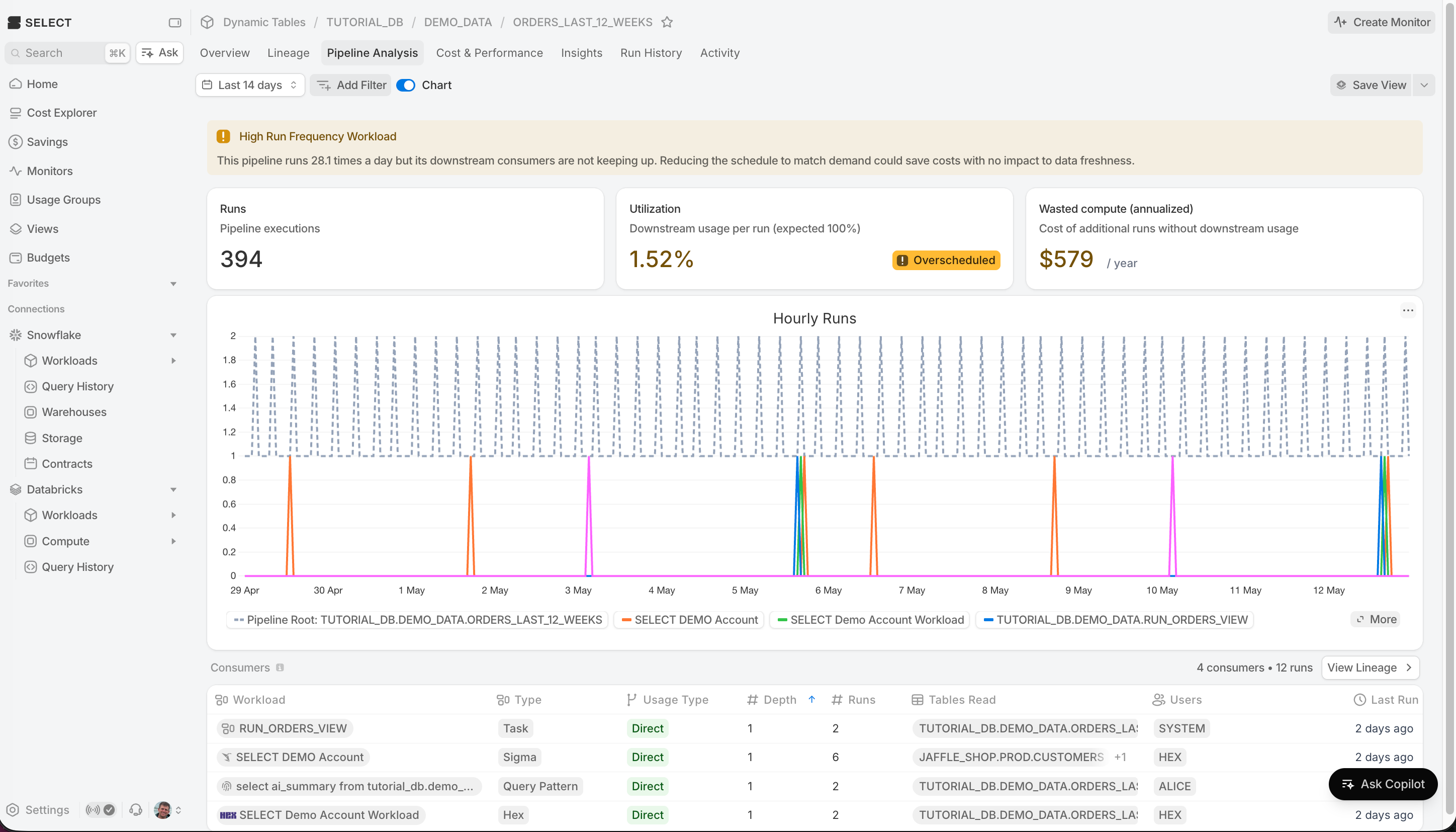
High run frequency pipeline
The workload is part of a pipeline running much more frequently than its downstream non-ETL readers. This may indicate the schedule can be reduced to lower compute costs.
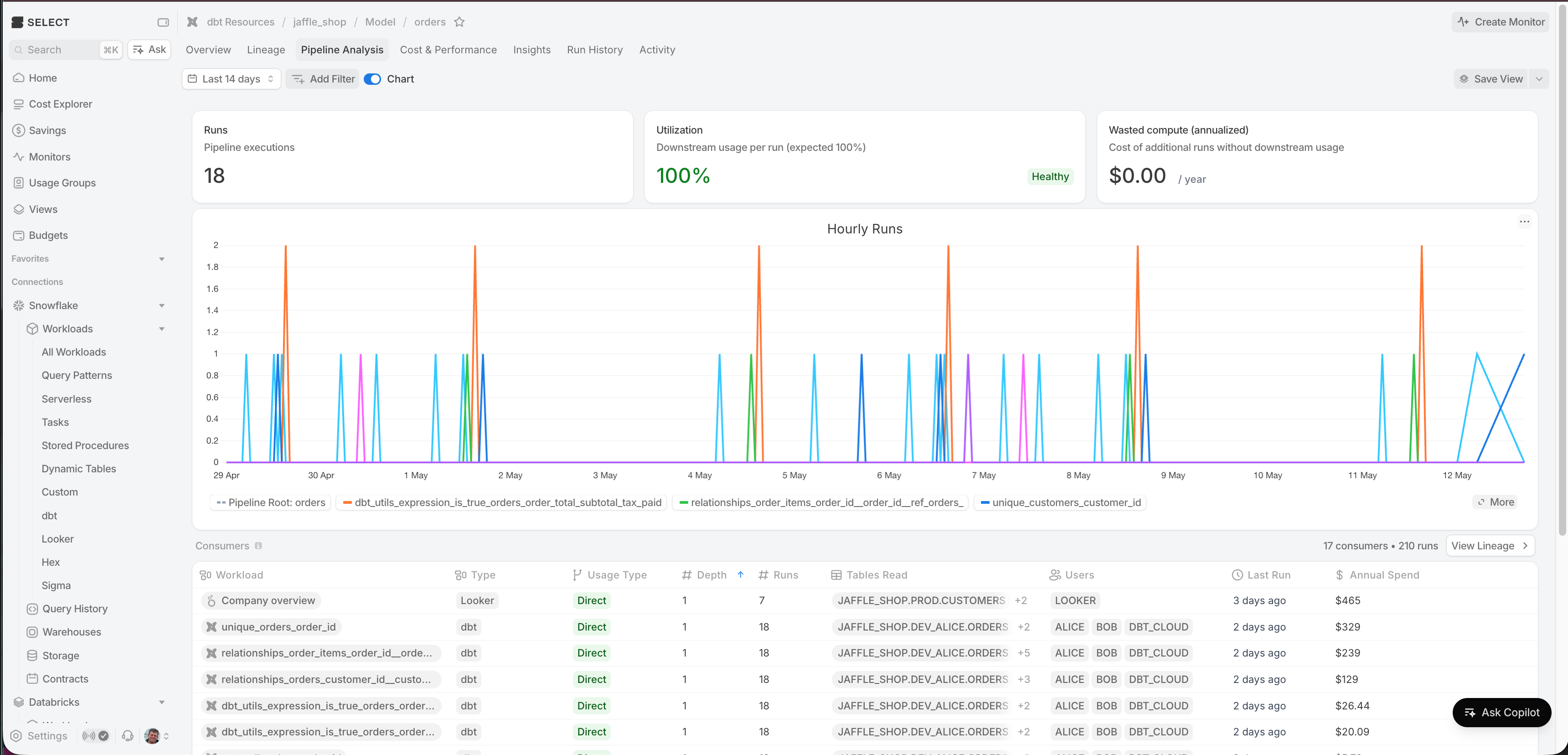
Healthy pipeline
Downstream consumers are running at a similar or higher frequency than the pipeline itself, suggesting the schedule is appropriately aligned with usage.
Pipeline Insights
Unused and overscheduled pipelines now also surface as actionable insights on the Insights page, complete with estimated annualized savings. Each insight links directly to the Pipeline Analysis tab so you can review the full pipeline chain and take action.
- Unused Pipeline — Flags pipelines whose output tables are not read by any downstream non-writing workload. The estimated savings reflect the full annualized cost of every workload in the chain.
- Overscheduled Pipeline — Flags pipelines whose writers run significantly more often than the most frequent downstream reader. The estimated savings are based on the excess executions that could be eliminated by aligning the schedule to actual consumption.
Other Things We Shipped
- 🪄 Improved performance of Warehouses page, by only making network calls to fetch Performance column data necessary
- 🐛 Fixed issue with using Usage Groups as a filter on Home page
- 🐛 Fixed issue with Contracts page pulling in persisted inline filters from other pages, breaking Contracts
- 🐛 Fixed issue with automated Slack messages not being sent due to being over Slack’s 3000 character block limit
Up next.Previous Changelog Entries.