

Announcing the Monitors Visual Feed
Friday, November 28, 2025
 Ali Mohammad MehrProduct Engineer @ SELECT
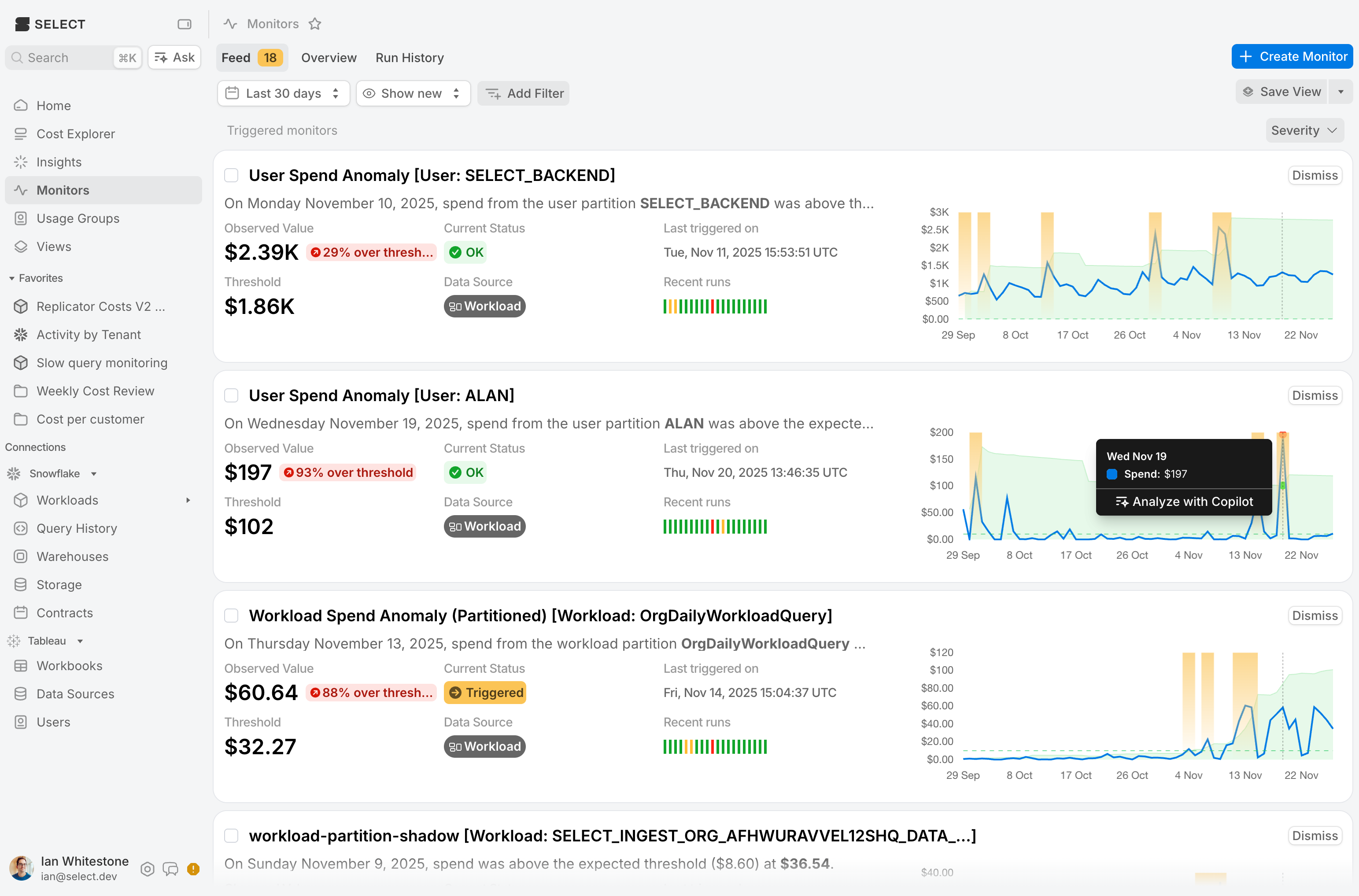
Tracking triggered monitors in SELECT is now easier than ever. We're thrilled to announce the Monitors Feed — a dedicated page where teams can review all triggered monitors in one place, perfect for weekly check-ins. Alert fatigue is real, and important notifications can easily get buried in busy Slack channels. With the Monitors Feed, you'll have a clear view of every anomaly that needs attention, so nothing slips through the cracks.
Once you spot a triggered monitor, the Feed helps you quickly understand what happened — which resources were affected, why it triggered, and how often it's been firing. From there, you can take action directly in SELECT: acknowledge alerts to clear them from your feed, analyze spikes with Copilot, drill into the monitor for deeper analysis, or adjust your monitor configuration.
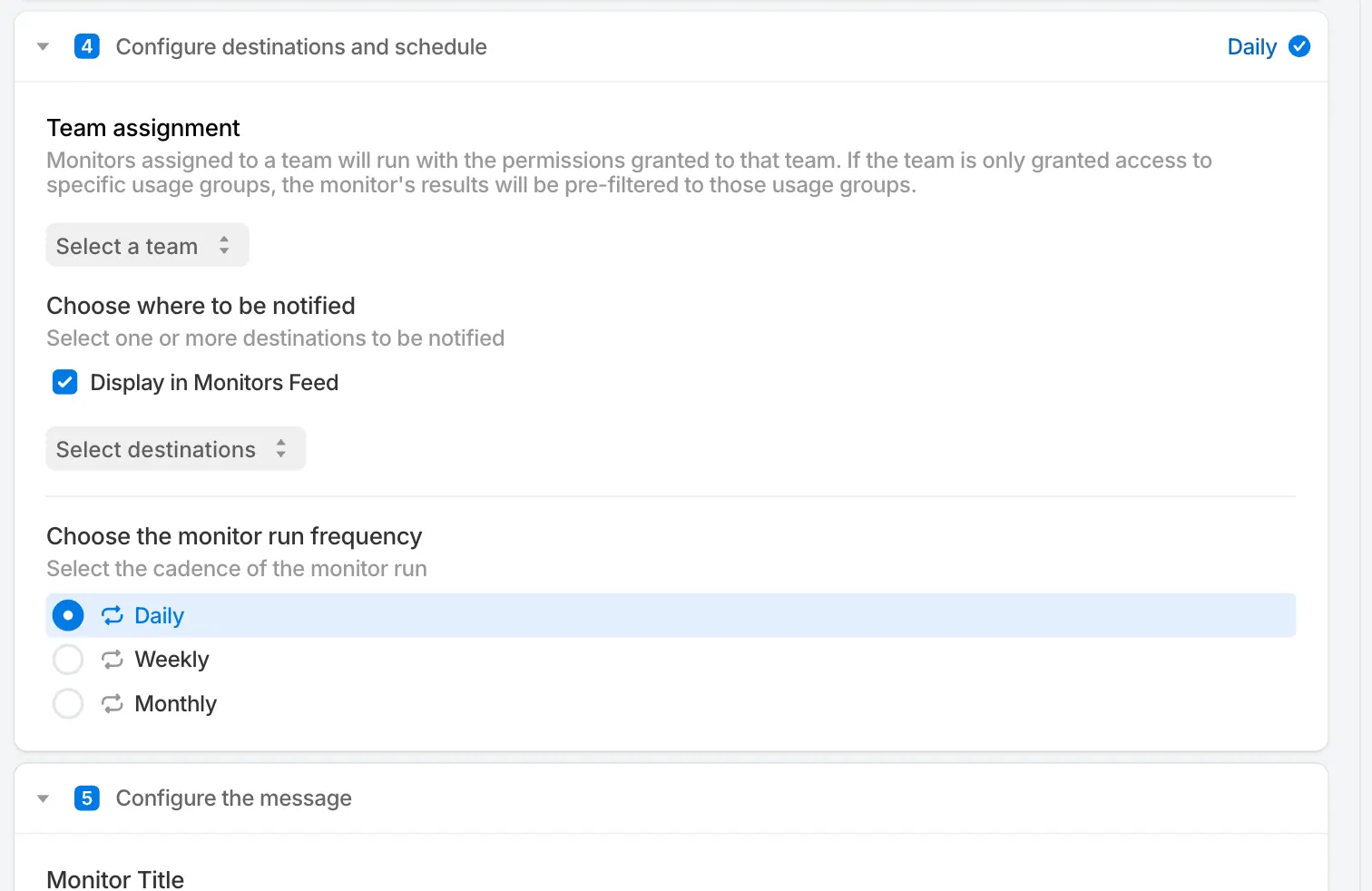
When creating a monitor, you can configure whether the monitor shows up in the Feed or not. You can also create monitors that only show up in the feed without sending any emails or messages.
Other Things We Shipped:
- 🚀 SELECT Copilot can now answer questions about usage groups
- 🚀 SELECT Copilot can now produce deep links to app pages
- 🚀 SELECT Copilot now provides potential follow-up questions
- 🪄 Improved app initial load time
- 🪄 Improved response time of settings and usage groups pages
- 🪄 Improved chart tooltips
- 🐛 Loading a previous Copilot chat no longer duplicates messages
- 🐛 Fix broken links to SELECT documentation
- 🐛 Fixed bugs related to filtering on usage groups after SELECT V2 migration
Up next.Previous Changelog Entries.