

A redesigned experience for exploring and acting on Insights
Tuesday, April 07, 2026
 Mahdi Raza KhuntCo-op Product Engineer @ SELECT
 Ian GrayPod Lead @ SELECT
Snowflake savings with SELECT just got a whole lot more actionable. We've extended the Insights experience to allow a new way to explore, triage, and act on cost-saving recommendations across your Snowflake account.
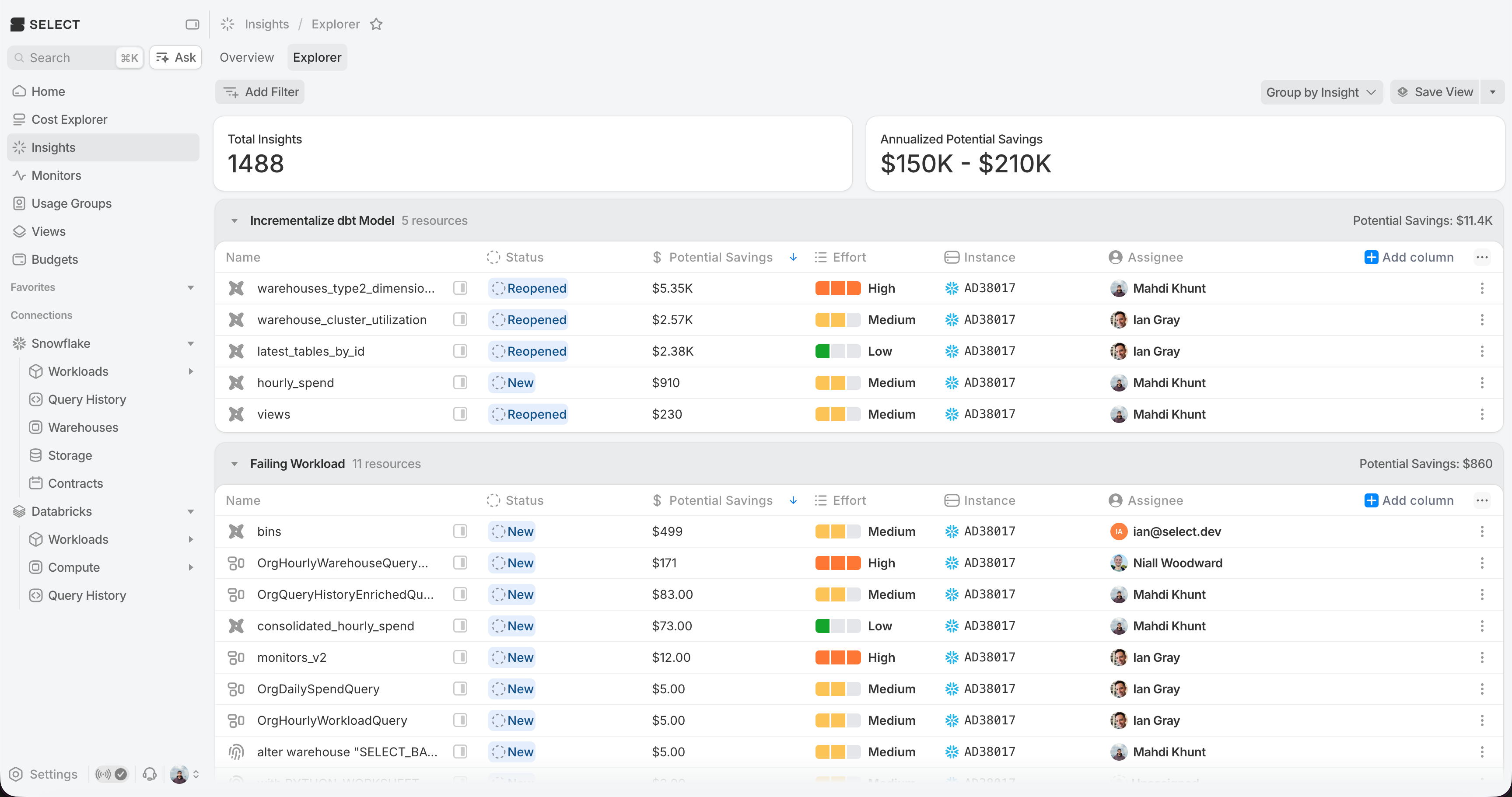
A new way to explore insights
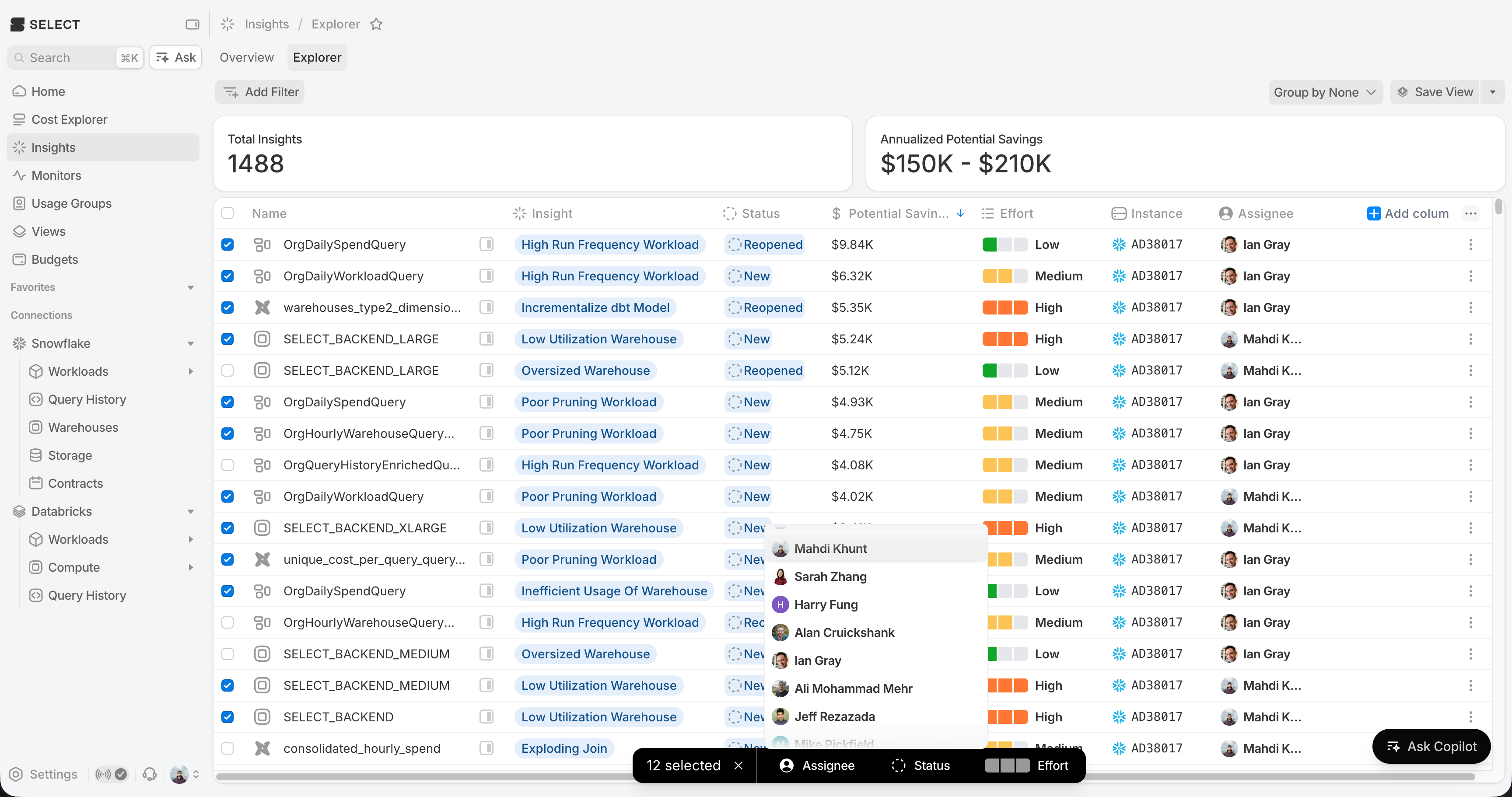
The revamped insight explorer displays an interactive table that lets you group, sort, and filter insights by resource, effort, status, and more. You can now:
- Override effort estimates - Update the estimated effort involved for actioning each insight to be low, medium or high
- Assign owners - Assign users to insights with automatic email notifications when assigned
- Track lifecycle with new status - Use statuses to better track insight progress from discovery to completion
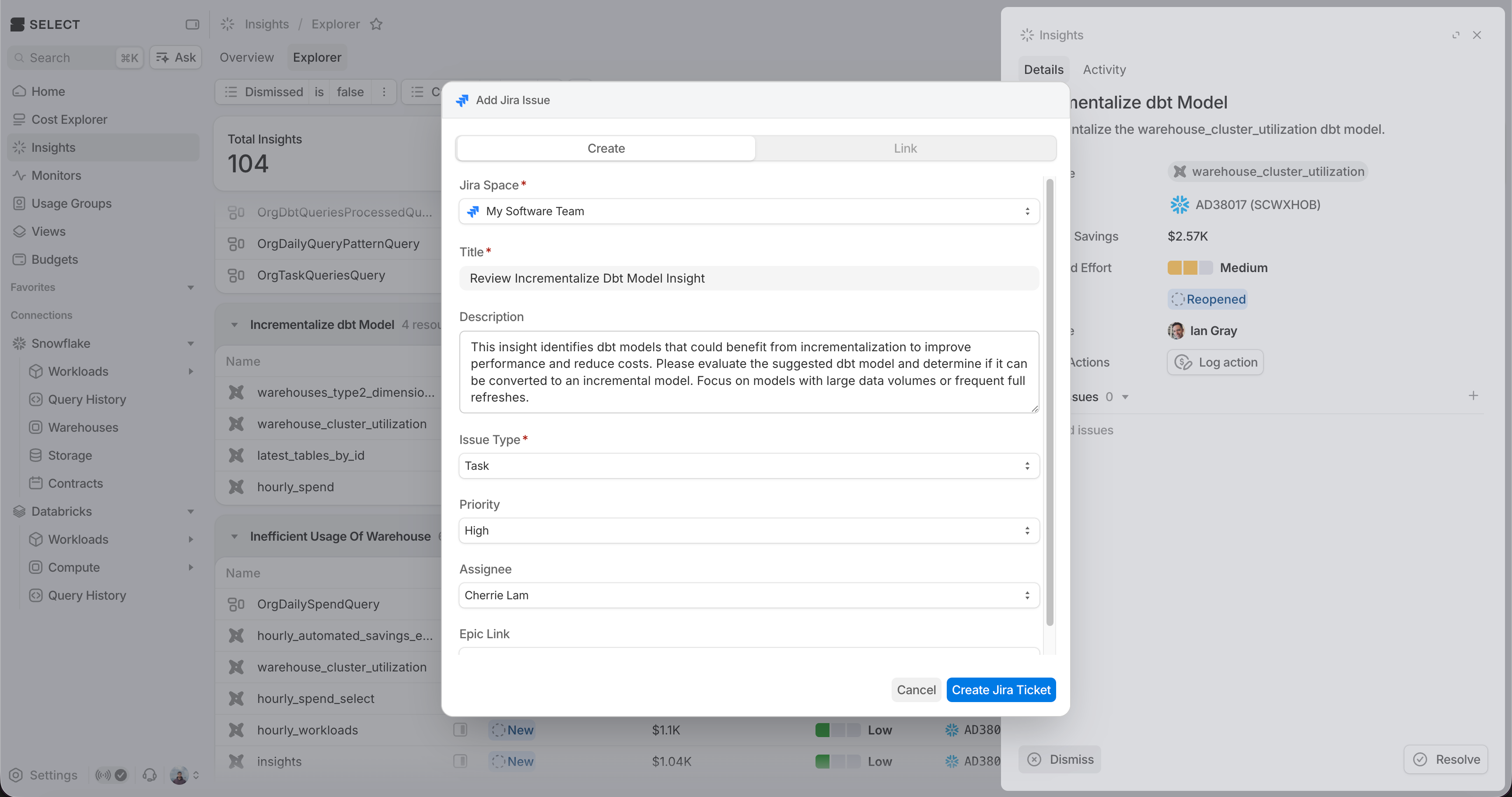
Create JIRA issues directly from Insights
Streamline your workflow by creating JIRA tickets directly from Insights. Click the new "Create Issue" button in any insight to generate a JIRA issue with pre-filled details about the optimization opportunity.
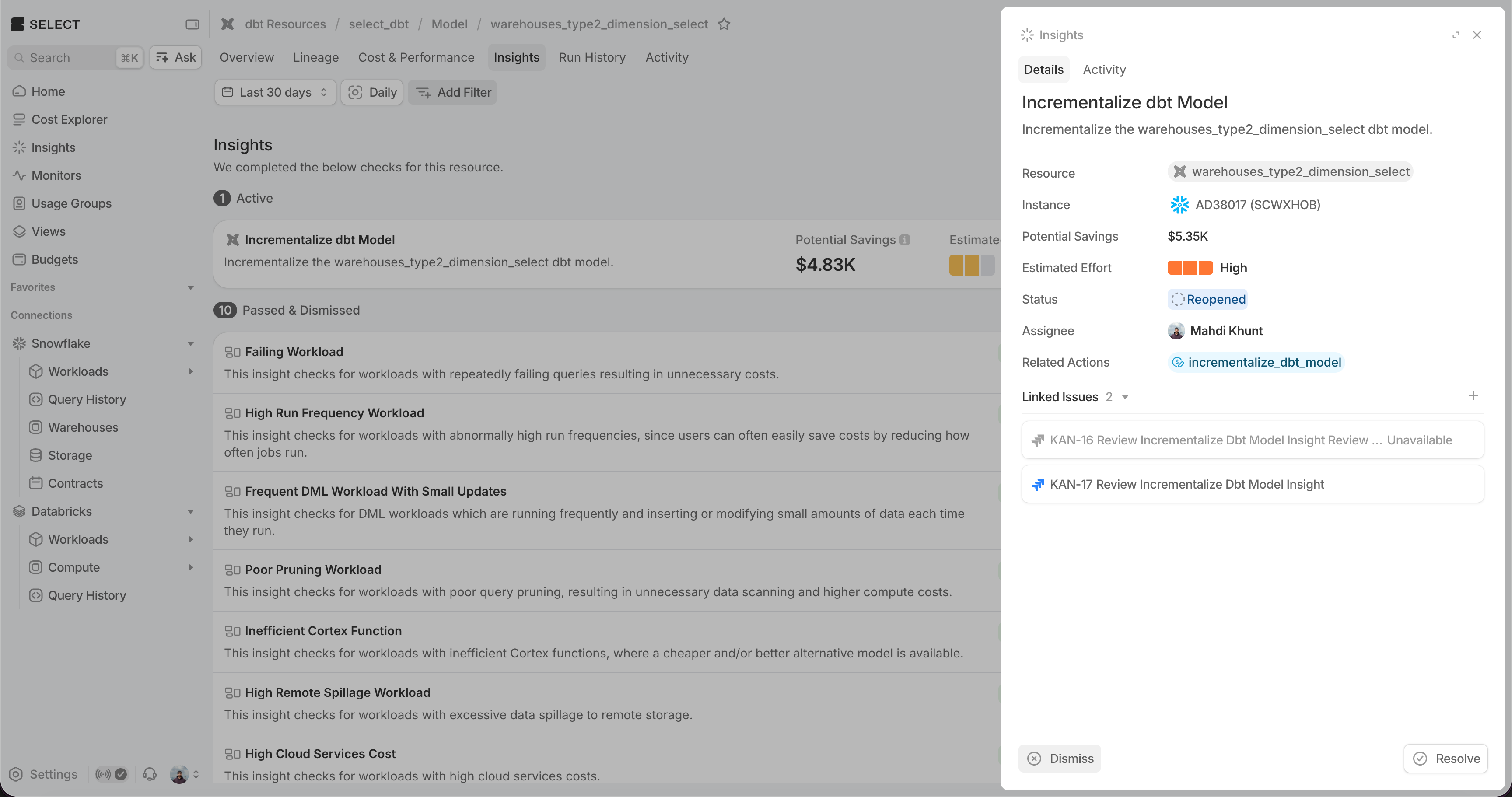
Insights surface where you work
When viewing a workload, matching insights appear with actionable recommendations - giving you savings context where you're already looking.
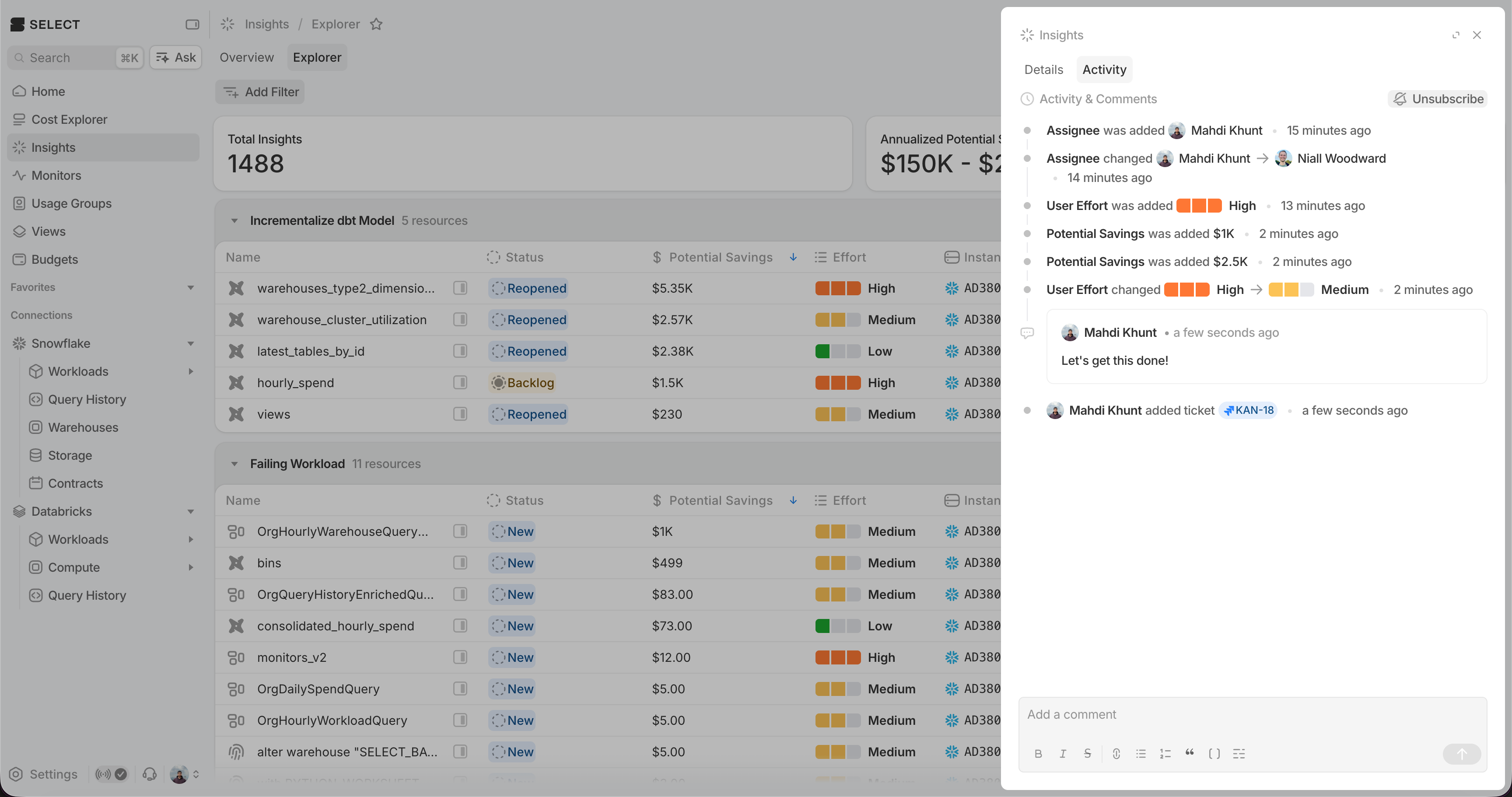
Track activity for Insights
View a complete audit trail of all changes to insights, including status updates, assignments, and effort estimates. See who made each change and when, so your team stays aligned on insight progress.
Triage at scale with bulk actions
Bulk actions for insights to assign owners, effort and dismiss multiple insights at once with undo support.
Up next.Previous Changelog Entries.