

Announcement
This page is also available in Deutsch, Español, Français, Italiano, 日本語, and Português.
See what your Snowflake archival storage costs in SELECT
Break down cool and cold archive usage and cost per table, right alongside your standard storage
By Luke Van Oort
·Shipped by
Snowflake bills cool and cold archive storage at their own rates, so knowing how much data sits in each tier is key to understanding your storage bill.
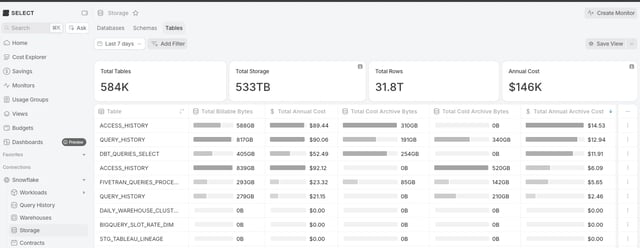
SELECT now shows archive storage alongside standard storage. On the Storage overview, the spend and bytes charts include cool and cold archive. The table list has new archive columns, which are off by default. Add them to see total archive storage across your tables, split it by tier, or go one level deeper into the individual components of each tier.
Open any individual table and you can now investigate how much archival storage it has used over time.
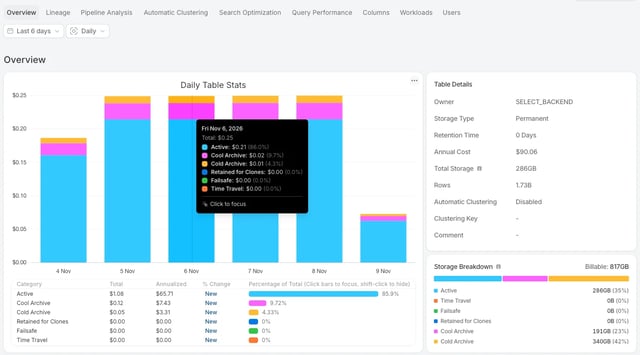
Your totals may change. Total storage and spend now include archive storage. If a table holds 100TB of standard storage and 200TB in archive, its billable storage total in SELECT will now read as 300TB instead of 100TB.